

CLINIC OPERATIONS · PRACTICAL GUIDE
Going paperless in a therapy practice: what to digitise first, and what to leave for later
A practical guide to going paperless in a therapy practice, from online booking and digital intake forms to consent, documents and clinical records.

The short version
A paperless therapy practice is not a practice that has scanned every sheet. It is a practice where information is collected once, reaches the right person and can be found when it is needed. Start with booking, then intake, consent, documents and records.
- Booking: reduce repeated calls and calendar copying.
- Intake: ask for the right information before the appointment.
- Consent: make signing and filing part of a clear process.
- Records: organise documents and notes with access and retention rules.
7DaysCare Clinic Guides · Start here: the digital clinic
Who this guide is for: therapy practices that still print intake forms, consent forms and letters, or retype information between systems.
Reading time: about 11 minutes.
- Start with the task that causes the most repeated handling, often booking or intake.
- Move forms and records in a planned order, with clear checks at each stage.
- Keep paper where it serves a real purpose or where a safe digital process is not ready.
Paper is not the problem; retyping is
Paper can be appropriate. A person may prefer a printed letter, a clinician may need a handwritten note during a session, or a practice may have a process that still depends on a signed paper form. The harder problem is often not the sheet itself, but the work that happens around it: staff transcribe the same details into several places, search for the latest version, or contact someone because a form has not reached the right person.
Before starting a paperless project, follow one piece of information through the practice. Take a new client’s contact details as an example. They may first appear in a booking enquiry, then on an intake form, then in the appointment diary and later in the clinical record. Ask where the details are first entered, who checks them, and where corrections are made. If staff have to type them again, that is a practical place to investigate.
Also notice the client’s side of the process. Does a person have to print a form, complete it by hand, scan it and email it back? Do they receive instructions in a separate message? Can they tell whether the practice received the document? These are small moments, but they can shape whether the digital change feels straightforward or like extra work.
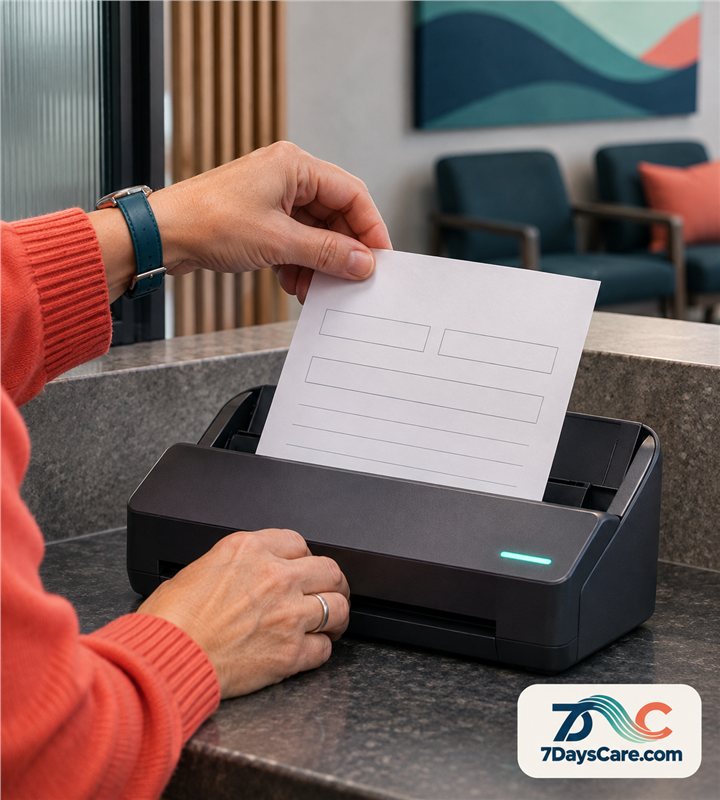
Write down what the paper process protects. A wet signature, a private conversation, a paper copy for someone without reliable internet, or a clinician’s need to annotate during a meeting may serve a clear purpose. Keep those requirements visible. Going paperless should remove avoidable handling without removing a step that matters to the person or the practice.
Use the phrase “less repeated work” as the test. If digitising a form still means printing it, scanning it and retyping its contents, the workflow has changed format but not effort. The aim is to connect each step so the information can move with a clear owner and an appropriate record.
Step 1: booking
Booking is often a useful first step because it happens frequently and touches both the client and the front office.
Map how a person currently asks for an appointment, how staff check availability, how a booking is confirmed and how a change is shared with the practitioner.
Include phone bookings, repeat appointments, cancellations and requests that need a human response.
Decide which appointment types can be booked directly and which should begin with a conversation.
A simple first change might be to publish only the slots and services the practice is ready to offer online. Make the appointment descriptions clear, explain what happens after a booking, and state how a person can contact the practice if they need help. Avoid creating an online path that promises an appointment the team cannot provide.
Then check how the booking reaches the rest of the workflow.
Does the right person see it in the diary? Is the appointment type clear? Does the team know who handles changes? If a client cancels, what happens to the opening and any follow-up? A digital diary can make a booking visible without solving every hand-off, so identify the next action as part of the design.
Give staff time to practise the common and less common cases.
Ask someone to make a test booking, change it and cancel it. Ask another person to find the updated appointment without asking the first person where to look. Check what confirmation and reminder messages say and whether contact details are correct. Fix confusing wording before opening the process to clients.
Keep a phone or email route for people unable to book online, and review recurring questions.
Step 2: intake forms
Intake forms often collect details the practice needs before a first appointment. Begin by reviewing each question. Does the team use the answer? Does it belong at the point of booking, or would it be more appropriate to ask later? Shortening an outdated form can be as useful as converting it to a digital format. Ask a clinician and an administrator to review the form together, because they see different parts of the process.
Group questions by purpose and service. A person should not have to answer every question if it does not apply to the appointment they selected. Explain why information is requested, how the person can ask for help, and what to do if a question does not fit their circumstances. Keep the language plain and avoid asking for sensitive details earlier than the practice needs them.
Define what happens after a form is submitted. Who checks that it is complete? Where can the practitioner see it? What happens if the appointment is near and the form has not arrived? A clear follow-up process helps staff avoid sending duplicate reminders or assuming that silence means the form is complete. Decide which fields are essential before the session and which can be discussed later.
Test the form on a phone as well as a computer. Check that questions are readable, required fields are obvious, and the person can return to a form if they are interrupted. If a client tells the practice that a question is hard to answer online, give staff a way to note the issue and offer another route. Digital access should make completing the task easier, not create a new hurdle.
For the first few weeks, review a small sample of completed forms. Are answers reaching the expected record? Can the right staff member find them? Are people leaving the same question blank? Use what you learn to revise the wording, instructions or timing, and tell the team when the form changes.
Step 3: consent and signatures
Consent is not simply a signature field. The practice needs a clear explanation of what the person is agreeing to, a chance to ask questions, a record of the version they saw and a process for handling changes. Decide which agreements need a signature, who presents them and how the person can ask for clarification before signing.
Review the wording with the people responsible for the practice’s policies. Use a version date or another method that helps staff distinguish an older form from the current one. If the terms change, decide whether existing clients need to review them again and who will follow up. Keep the process simple enough that a staff member can explain it without searching through internal notes.
Choose a signing method that fits the work. A digital signature can reduce printing and scanning, but the clinic should still understand where the signed document is stored, who can retrieve it and how corrections are handled. Check whether a provider charges per envelope or signature, what happens when a person cannot sign online and whether a copy is available to them.
Test the whole sequence with a staff member: send the agreement, open it on a phone, sign it, return to the appointment record and confirm the correct version is present. Then rehearse a correction or withdrawal request. A tidy signing screen is not enough if staff cannot answer the person’s next question.
A digital form should support a conversation, not rush it. Give people a clear route to ask questions before they agree.
How 7DaysCare helps
7DaysCare can support the first three steps by connecting online booking and reminders with the intake and document work that follows. A practice can set up online bookings, use intake questionnaires by service, request them before an appointment and follow up when they are still outstanding. This gives the team a place to see the next action instead of relying on separate calendar notes and email searches.
For intake, the practice decides which questionnaire belongs to each service. The relevant form can be requested and chased before the session. Staff can check whether it has been returned and decide what to do if it has not. This does not remove the need for a clinician to decide what information is necessary or to speak with a client when a form does not fit their situation.
For consent, the self-hosted edition includes e-signature without a per-envelope fee. The practice still needs to prepare appropriate wording, explain the agreement and decide how to handle questions or changes. For documents, encrypted storage is available, records are closed by default and each read is logged. Staff can find a document by its subject, type and date.
Consider a small practice that begins with online booking and one intake questionnaire. The administrator tests a booking, confirms that the right questionnaire is requested and checks how an outstanding form appears. The clinical lead reviews whether questions are appropriate for the service. Later, the team tests a consent document and confirms who can access the signed record. The practice can adopt each step after staff understand the routine.
There is an honest limitation: encrypted documents cannot be searched by their contents. Staff find them by subject, type and date, so the team should agree a consistent naming approach. Try it in 7DaysCare: map one appointment type from booking through intake and list who checks each step.
Explore the 7DaysCare feature list to compare the workflows, review pricing, or talk with the team about your clinic’s requirements. You can also explore the platform.
Step 4: documents and letters
Documents include letters, care plans, handouts, forms and records that staff need to share or retrieve.
Begin with an inventory.
Note the document type, who creates it, who needs it, where it is currently stored, how long it is kept under the practice’s policy and whether a client needs a copy. Do not upload every old file before agreeing how the new store will be organised.
Create a simple naming convention that helps people find the right item without exposing unnecessary personal information in a filename.
For example, the practice may use a document type and date, with a client identifier stored in the approved record rather than in a public folder name.
Agree the convention, show a few examples and let the people who retrieve files test it.
Set access by role and task.
The person who sends appointment letters may not need the same access as a clinician reviewing notes. Ask who approves new access, how temporary cover works and what happens when a staff member leaves. A shared drive is convenient only when the clinic also understands who can see and change its contents.
For outgoing letters, check the current contact details and test the complete draft, review, sending and retrieval process.
Keep a small sample of documents during rollout and ask a staff member to retrieve each one. If the team cannot find a document from its title, type or date, refine the filing rules before adding more files. A consistent structure prevents the digital archive from becoming a paper cupboard with a search box.

Step 5: the record itself
Clinical records need more care than a general document folder. Decide which information belongs in a note, which belongs in a plan or questionnaire, and how the practice records a correction. Staff should know when a note is considered complete, who may read it and whether a later change creates a clear history. Use the practice’s governance process to define these rules.
Move active records first if that is what staff need for current appointments. Then decide whether older records should move, remain in a controlled archive or be handled under a separate retention plan. The decision should consider access, continuity, legal obligations and the ability to retrieve information when it is required. Ask the person responsible for records to document the rationale.
Do not use a bulk scan as a substitute for a records plan. Scanned pages may be hard to search, may have uncertain dates and may not be linked to the right person. If scanning is needed, decide how pages are grouped, checked for completeness and matched to the correct record. Sample the output and have a practitioner confirm that the information makes sense in context.
Agree how staff will handle a correction. The person who notices an error should know who can update the record, what explanation is needed and how the practice preserves an audit trail. Train the team before the first live change. A record process should make it possible to understand what happened without asking the author to remember months later.
Review access and retention on a schedule, and make sure staff know who handles requests to access, export or correct a record.
What can stay on paper
Some paper may remain useful. A client might need a printed copy because they do not have reliable internet or prefer to read information on paper. A clinician may use a paper worksheet during a particular activity. The practice may need a physical signature for a process that has not yet been reviewed. Keep these cases visible rather than treating them as a failure of digitisation.
Decide where paper enters and leaves the workflow. If a form is completed on paper, name who will transfer the relevant information, where the original will be stored and how the team will avoid creating two competing versions. If a letter is printed, record that it was sent in the system the practice uses. The process should still make the next action clear.
Offer a paper option when a client needs one, and review those exceptions after the digital workflow is stable.
Before removing a paper route, check accessibility, language and device access. Keep a human alternative for people who need it.
Remove duplicate steps only when the new process is working and the practice’s retention rules are clear.
Your checklist
- ☐ Identify where information is retyped today.
- ☐ Review booking descriptions and test a change and cancellation.
- ☐ Remove intake questions the team does not use.
- ☐ Assign an owner to check forms before the session.
- ☐ Confirm who approves consent wording and version changes.
- ☐ Agree document names, access and retrieval rules.
- ☐ Decide which active records move first and how they will be checked.
- ☐ Keep an accessible paper route where it serves a real need.
Related guides
- Choosing clinic software: a buyer’s checklist of thirty questions
- Replacing an end-of-life system without stopping the clinic
- Getting your team to use the new system: a change plan for clinics
Frequently asked questions
What does it mean to go paperless in a therapy practice?
It means designing routine work so information is collected, shared, stored and retrieved digitally where that is appropriate. It does not require every paper process to disappear. A practice can keep printed materials for accessibility or a specific task while reducing unnecessary printing, scanning and retyping.
What should a therapy practice digitise first?
Start with a frequent task that creates repeated work, often booking or intake. Map the current process, decide which information is essential, test the new steps with staff and clients, and keep a human alternative for people who cannot use the digital route.
How should a practice handle paper records during a move?
Agree which active records staff need, which older records should move or remain in a controlled archive, and how each transfer will be checked. Define who is responsible, protect originals during the transition and follow the practice’s records and retention policies.
What paperless features does 7DaysCare include?
7DaysCare supports online booking and reminders, intake questionnaires by service that can be requested and chased before a session, self-hosted e-signature without a per-envelope fee, and encrypted document storage. Records are closed by default and reads are logged. Encrypted documents are found by subject, type and date, not by their contents.
Choose your first paperless step
Pick one repeated hand-off, map it with the people who perform it and decide what a better process would look like. If you are considering 7DaysCare, explore the platform or book a conversation about your practice.